Roster to jerseys
Copy the name, number and size columns from Excel or a CSV and paste them into AJILE, one player per line. Each line is read as name, then number (optional), then size, so the size must come last. AJILE builds a copy of your template for every line: front and back, with each player's details filled into the fields you marked. The original template is never edited.
Rosters can come from a client's sheet, an HR export or a Google Sheet. Paste only the name, number and size columns: an extra column such as an employee ID or serial number would be read as part of the line. A changed player is a changed line: paste just that line and AJILE builds that player's pieces again.
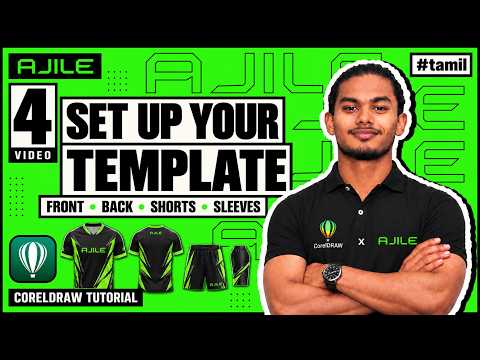
Excel roster to finished jerseys (Tamil). Full course: /ajile/modules/
Name and number fitting per size
A long name that fits a 2XL shirt will not fit a kids' size at the same font size. AJILE keeps your template's font size and only shrinks a name when it would pass about 90% of the name area on that size, so short names look the way you designed them and long names still fit.
Name and number sizes can be set per jersey size, with Small, Medium and Large presets: Medium uses your default size, Small is 85% of it and Large is 115%. Icons placed next to a name keep their position and scale with it.

Name and number size per jersey size (Tamil). Full course: /ajile/modules/
Shorts, sleeves and stickers
Shorts and sleeves get their own pieces with the player's number placed and sized for their size, and they are laid out below the main pieces so nothing overlaps. Name and number stickers for the whole squad can be made in the same run, for heat-transfer or cut vinyl work.

Shorts and sleeves automation (Tamil). Full course: /ajile/modules/
Size charts
Choose standard sizes or build a custom chart with your own size names, from kids sizes to 5XL. The chart drives both the name and number sizes and the export folders, so each order follows the same rules every time.
Batch export
Quick Export writes every piece as JPG at the resolution you set, in one of three layouts: all files in one folder, folders by category (jersey, shorts, sleeves), or folders by size. Files are named by size, part and quantity, so the printing operator can queue them without opening CorelDRAW. Objects that are not garment pieces, such as a stray logo, export as UNKNOWN files instead of stopping the run.

Every AJILE tool and the export settings (Tamil). Full course: /ajile/modules/
Photo ID cards: AJILE PI
AJILE PI makes photo ID cards from an Excel sheet (serial number and name) and a folder of photos named by serial number. It reads .xlsx files without Excel installed, centre-crops each photo to the frame, lays the cards on a sheet (A3 by default) with crop marks, and exports one JPG per person. One Ctrl+Z undoes a whole run.
Day-to-day details
- A floating START AJILE button opens the toolbar only when you want it, so CorelDRAW starts normally.
- Emoji and symbols in names can be typed as codes such as {dollar}, and AJILE installs a font that prints them.
- Updates arrive through the built-in updater; your licence is kept.
- If the connection drops, an offline key tied to your PC keeps AJILE working.
- Support on WhatsApp and email in English and Tamil, plus a free Tamil video course at /ajile/modules/.
Questions
Does AJILE replace CorelDRAW?
No. AJILE runs inside CorelDRAW as a toolbar. You still design in CorelDRAW; AJILE automates the per-player steps.
Which CorelDRAW versions work?
CorelDRAW X6 to 2026 on Windows. It does not run on the Mac version of CorelDRAW.
Does AJILE need internet?
It checks the licence online. If the internet drops, it offers an offline key tied to your PC, so work continues.
Can AJILE design the jersey for me?
No. You design the template once. AJILE then creates every player's version of it.
Try AJILE free for 7 days
Install it on your own CorelDRAW, load one real roster and see the time saved before you pay anything.